Local-First AI Engine
Bundled llama.cpp sidecar runs verified lightweight models (Qwen 2.5 0.5B to 7B) right on your hardware. Fast token streaming, mid-stream cancellation, and zero cloud API dependency.
A local-first desktop pet that chats, reads what you choose to show it, translates, keeps your focus time, and keeps your data strictly on your computer.
Windows 11 / 10 (64-bit) · 100% Free & Open Source
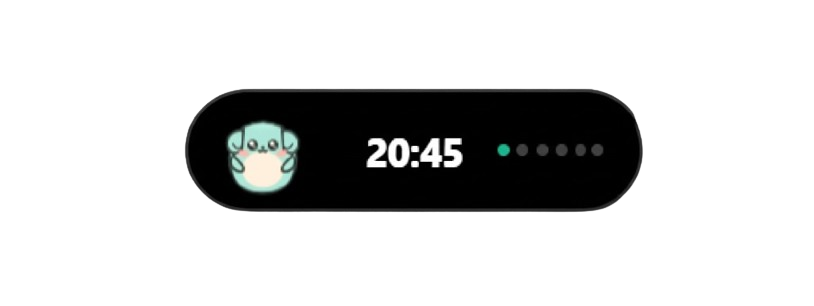
Click through the states below to see how Mintu adapts dynamically to your workflow.
Every capability in Mintu is built from scratch for speed, micro-expression fluid animations, and absolute privacy.
Bundled llama.cpp sidecar runs verified lightweight models (Qwen 2.5 0.5B to 7B) right on your hardware. Fast token streaming, mid-stream cancellation, and zero cloud API dependency.
Apple-style spring morphing pill at the top of your display with sub-2% idle CPU. Seamlessly expands for notifications, playback controls, timers, and AI chats.
Double-click or press Ctrl+Alt+M to let Mintu roam freely across your desktop. Includes realistic gravity, fling momentum, ground bounce, and 120px magnetic proximity docking.
Ctrl+Alt+Space ingests selected text without wiping your clipboard. Ctrl+Alt+S opens crosshair screen dimmer for instant region selection and offline Windows Media OCR.
Automatically inspects active windows and blocks password managers (1Password, Bitwarden, KeePass, Authy, etc.). Mintu displays a shy card and refuses to read sensitive text.
All ingested text and OCR snippets are sandboxed inside strict <untrusted_user_context> XML fencing, preventing untrusted data from overriding companion identity.
Real-time full-text search across all your conversations with zero latency. Features unsent draft persistence, a 30-second deletion undo banner, and message version branching.
Explicit memory creation only when you say 'remember that' or click 'Remember this'. Stored in local SQLite; never transmitted over the internet, with a full killswitch in Settings.
Custom countdowns, Pomodoro 4-session cycles, and precision stopwatch. Absolute targetEndTime persistence survives reboots and Windows sleep without clock drift.
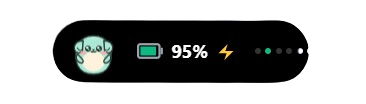
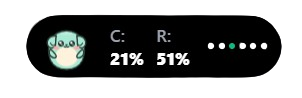
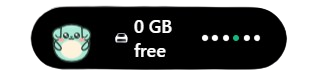
Inspect battery, CPU load, RAM usage, and primary disk free space via lightweight Win32 system APIs with zero network pinging or packet sniffing.
Windows SMTC integration displays live track marquee, equalizer waveform, and controls. Mintu dances in Free mode during music playback and alerts on Windows notifications.
Hands-free Push-to-Talk with multi-provider transcription fallback (Whisper, Groq, Gemini), animated character speech mouth synchronization, and instant screen analysis.
Earn experience points from focus sessions (10 XP/min). Unlock accessories: spectacles glasses, winter beanie with pompom, mint coffee mug, and DJ headphones.
Background Rust thread detects copied text and presents non-intrusive 6-second action pills: code error check, JSON formatting, or Azerbaijani translation.
Standard plugin.json manifest specification, sandboxed module loader, custom .mintu-skin drag-and-drop importer, and developer workshop documentation.

Mintu is built around one non-negotiable principle: your desktop activity, private notes, credentials, and thoughts never leave your computer.
The bundled llama.cpp engine runs GGUF models directly on your CPU/GPU. No data packets are transmitted across any network during chat generation.
Screen region text extraction uses native Windows Media OCR APIs locally. Screenshots and extracted text never touch third-party servers.
Mintu does not contain tracking pixels, analytics SDKs, session recorders, or diagnostic reporting. We collect zero user data.
Foreground window monitoring automatically detects password managers (Bitwarden, 1Password, KeePass, etc.) and shields them from screen capture.
Optional cloud providers (Groq, OpenAI, Gemini) are completely disabled by default and require your explicit API keys to activate.
All chats, memories, and focus records are stored in a local SQLite file (mintu.db). You can export to Markdown or wipe everything with one click.
No accounts to create. No credit cards. No cloud setup.
Download the lightweight standalone installer or compile from source using Tauri 2. Mintu lives cleanly in your system tray and Dynamic Island.
Select from our verified catalog (such as Qwen 2.5 1.5B). The in-app downloader verifies the SHA-256 hash before loading it into llama.cpp.
Press Ctrl+Alt+Space on selected code, Ctrl+Alt+S to capture a screen region, or click the island to chat with your new pair programming companion.
Real desktop screenshots captured during development and testing.
Completely free, open-source under the MIT license, and built for Windows 10 & 11.
Mintu is a community open-source project. Because we do not purchase an expensive corporate code-signing certificate, Windows SmartScreen may show an 'Unknown Publisher' prompt on first run.
Mintu is built with Tauri 2, Rust, and Vite. You can audit every line and build it locally in minutes:
git clone https://github.com/HuseynDeveloper/Mintu.git
cd Mintu
npm install
npm run tauri build
Clear, honest answers sourced directly from our codebase and documentation.
Yes. Mintu is licensed under the permissive MIT License. It is 100% free to download, use, inspect, fork, and modify. There are no subscriptions, paywalls, or premium tiers.
No. Mintu's core functionality—including Dynamic Island interactions, local AI chat (via llama.cpp), screen region OCR (via Windows Media OCR), focus timers, and system hardware widgets—runs entirely offline on your computer. An internet connection is only needed when downloading an AI model file or checking for new GitHub releases.
Zero. Mintu does not contain any analytics tracking, telemetry, error reporting beacons, or user profiling. All conversation histories, memories, and settings are stored locally in an SQLite database on your machine (mintu.db).
Mintu's built-in Model Manager provides verified, pre-tested GGUF models from Hugging Face, including Qwen 2.5 (0.5B, 1.5B, 3B, and 7B) and nomic-embed-text for local embeddings. Each catalog entry has verified SHA-256 checksums.
Currently, Windows 10 and 11 (64-bit) are the primary supported platforms because Mintu leverages native Windows APIs (Windows Media OCR, Windows SMTC for media, and Win32 screen overlay APIs). Cross-platform support for macOS and Linux is planned in future milestones.
Mintu features an automated GitHub Releases update checker. When a new release is published, a clean notification pill appears in the Island top bar with a direct link. You can also download the latest version from GitHub Releases at any time.
You can uninstall Mintu like any standard Windows application via Windows Settings → Installed Apps → Mintu → Uninstall, or by running the uninstaller in Mintu's installation folder.
Visit our official GitHub repository and open an issue in the Issues tab, or join discussions in GitHub Discussions. We welcome community bug reports and pull requests!
Track our progress from initial prototype to an extensible companion ecosystem.
Dynamic Island shell, llama.cpp sidecar, Windows Media OCR, Privacy Guardian, SQLite FTS5 search, Pomodoro timer, and Win32 hardware widgets.
Push-to-Talk voice commands, character voice speech synchronization, Windows auto-start, and multimodal screen vision.
XP leveling system, accessories wardrobe, active window hover kinematics in Free mode, Smart Clipboard assistant, and GitHub auto-updater.
Extensible plugin manifest specification, sandboxed module loader, custom .mintu-skin drag-and-drop importer, and developer documentation.
Join the project, contribute code, suggest ideas, or craft custom skins.
Browse the source code, star the project, and inspect our Tauri 2 and Rust backend implementation.
Encountered a bug or unexpected behavior? Open an issue with reproduction steps and help us improve.
Share your favorite local models, discuss module ideas, and connect with other pair programming companions.