Living Desktop Pet & Dynamic Island Hub (MIT)

Meet Mintu, a living desktop pet that lives in your Dynamic Island.

An ultra-lightweight (5.3 MB) desktop companion and productivity hub for Windows: Live HUDs, Now Playing music with continuous dancing, Notch file shelf, Focus timer, Ambient sounds, Clipboard history, and mini-games — 100% private with zero AI overhead.

Windows 11 / 10 & macOS (Apple Silicon & Intel) · 100% Free & Open Source

Mintu
Awake in Dynamic Island · Ready to assist
Local

Experience the Dynamic Island

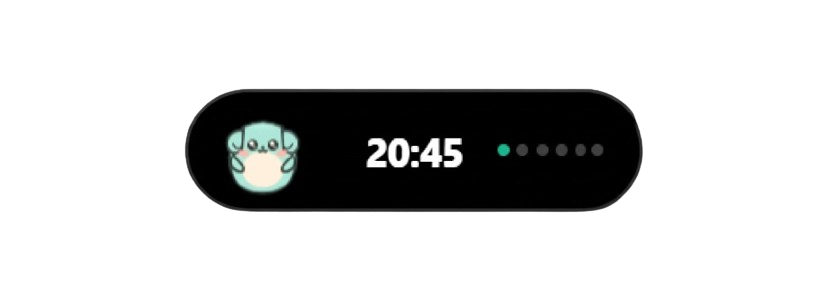
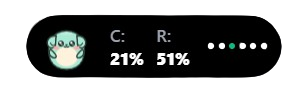
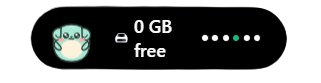
Click through the states below to see how Mintu transforms your desktop experience in v0.2.4.1.

Zzz
Mintu is resting
After 10 minutes of idle time, Mintu curls up for a peaceful nap with gentle breathing animations and wakes instantly when you return.

Engineered for living companionship and effortless productivity.

Mintu v0.2.4.1 brings together an Apple-style Dynamic Island, in-place typing, living pet care, ambient productivity tools, and zero background overhead.

3-Tab Hub

3-Tab Pet Hub Architecture

The Pet Hub is organized into three clean views: Pet Companion, Focus & Productivity Tools, and System Settings. Access it anytime via Dynamic Island or Ctrl+Shift+M.

File Shelf

Notch File Shelf

Drag any file or image to the top Dynamic Island notch to park it on your live shelf. Open, reveal in File Explorer, copy full path, or clear all with one click.

Live HUDs

Dynamic Island Live HUDs

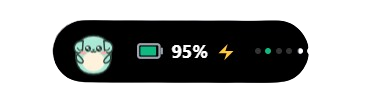
Live visual status morphing for Windows Master Volume & Mute, Screen Brightness, AirPods-style Audio/USB device connection pop-ups, and Caps/Num Lock indicators.

Now Playing

Now Playing Pro & Continuous Dancing

Click the music pill to open a full glassmorphic Now Playing card with large album artwork, track details, live timeline progress, ambient album-matched luminous dust particles, and controls. Mintu dances continuously to your music.

Mini-Games

Pet Care & Desktop Mini-Games

Track Energy and Happiness. Feed cookies (+8 XP), brew mint tea (+8 XP), or pat Mintu (+5 XP). Let Mintu playfully chase your mouse cursor or drop falling stars on screen to catch.

Focus Suite

Focus & Productivity Suite

Pomodoro Focus Timer (5m, 15m, 25m, 45m), Procedural Ambient Sound Mixer (Rain, Warm Fireplace, Brown Noise, White Noise), Quick Calculator with unit/currency converter, and To-Do list.

Clipboard

Clipboard History (Ctrl+Shift+V)

Quick-access history of your last 15 clipboard items via Ctrl+Shift+V or Pet Hub. Pin critical snippets to the top, copy with one click, or purge unpinned items instantly.

Eyedropper

Screen Color Picker (Ctrl+Alt+C)

Press Ctrl+Alt+C to sample the exact pixel color directly beneath your mouse cursor and copy its HEX code instantly to your clipboard.

Wellness

Water Tracker & 20-20-20 Eye Break

Log your daily water intake (0 to 8 glasses) and receive gentle interval reminders to stay hydrated and rest your eyes during long work sessions.

6 Skins

6 Curated Skins & Wardrobe

Give Mintu a custom name, choose from 6 curated skins (Classic Mint, Sakura Pink, Midnight, Cyber Neon, Sunset Gold, Matcha), equip accessories, and toggle live weather.

Kinematics

Free Desktop Roaming & Physics

Press Ctrl+Alt+M to let Mintu roam freely across your desktop with realistic gravity, fling momentum, window edge bouncing, and 120px magnetic island docking.

Zero Bloat

Full Screen Intelligence & Zero Strain

Mintu automatically detects fullscreen games or videos and hides quietly out of view, using zero CPU and preserving full gaming and workstation performance.

Liquid Glass

Floating Dynamic Island Shell

Apple-style spring morphing notch at the top of your display with sub-1% idle CPU. Features in-place typing with OS-aware mini laptop animations (Windows & Apple logos) and expands for hardware alerts, playback controls, timers, and quick notes.

Local SQLite

Absolute Privacy & Local Storage

Completely free of AI overhead and telemetry. All reminders, clipboard history, notes, and pet levels are stored locally in SQLite with zero cloud pinging.

MIT License

Open Community & Extensible Design

Open-source codebase on GitHub (MIT license), customizable hotkeys, extensible skin formats, and developer workshop documentation.


Your companion lives on your PC. Not in the cloud.

Mintu is built around one non-negotiable principle: your desktop activity, private notes, credentials, and thoughts never leave your computer.

Zero Telemetry · Completely Offline Inference

100% Offline AI Inference

The bundled llama.cpp engine runs GGUF models directly on your CPU/GPU. No data packets are transmitted across any network during chat generation.

Offline Windows Media OCR

Screen region text extraction uses native Windows Media OCR APIs locally. Screenshots and extracted text never touch third-party servers.

Zero Telemetry & Zero Analytics

Mintu does not contain tracking pixels, analytics SDKs, session recorders, or diagnostic reporting. We collect zero user data.

Active Privacy Guardian

Foreground window monitoring automatically detects password managers (Bitwarden, 1Password, KeePass, etc.) and shields them from screen capture.

Cloud AI Is Strictly Opt-In

Optional cloud providers (Groq, OpenAI, Gemini) are completely disabled by default and require your explicit API keys to activate.

Full Local Database Control

All chats, memories, and focus records are stored in a local SQLite file (mintu.db). You can export to Markdown or wipe everything with one click.

Up and running in three simple steps.

No accounts to create. No credit cards. No cloud setup.

01

Install Mintu for Windows

Download the ultra-lightweight standalone installer (5.4 MB) or build from source with Tauri 2. Installs in seconds with zero background bloat.

02

Pin to Island or Roam Free

Mintu rests peacefully in the top Dynamic Island notch. Press Ctrl+Alt+M anytime to let Mintu roam freely across your desktop with gravity and physics.

03

Master Productivity Hotkeys

Press Ctrl+Shift+M for Pet Hub, Ctrl+Shift+V for Clipboard History, Ctrl+Alt+C to sample screen colors, or drag files directly onto the Notch Shelf.

Bring Mintu to your desktop.

Completely free, open-source under the MIT license, and built natively for Windows 10 & 11 and macOS.

Official Windows Setup (x64) Windows 11 / 10 (64-bit)

Windows 11 / 10

Native Windows installer (.exe) with automatic desktop integration and shortcuts. Ultra-lightweight (5.4 MB).

Version
v0.2.4.1
Size
5.4 MB
Released
2026-11-19
Architecture
x64
Official macOS Universal Package macOS 10.15+

macOS (Apple Silicon & Intel)

Ready-to-run macOS package with living desktop pet physics and Dynamic Island productivity hub.

Version
v0.2.4.1
Size
0.9 MB
Released
2026-11-19
Architecture
Universal
Build & run from archive:
# Enter the folder after extracting the archive
cd Mintu-macOS
# Install dependencies
npm install
# For Apple Silicon (M1/M2/M3/M4):
npm run tauri build -- --target aarch64-apple-darwin
# Or for Universal Binary (DMG for both Intel and Apple Silicon):
npm run tauri build -- --target universal-apple-darwin
Windows SmartScreen & macOS Gatekeeper Notice

Mintu is a community open-source project. Because we do not purchase expensive corporate code-signing certificates, your operating system may show a security notice on first launch.

  1. Windows: Click 'More info' on the blue SmartScreen dialog, then 'Run anyway'.
  2. macOS: Right-click (or Control-click) Mintu and select 'Open', then confirm 'Open' in the dialog.
  3. You can verify the SHA-256 checksum of either file at any time against our published values.

System Requirements

  • Windows: Windows 11 / 10 (64-bit) (x64 (Intel / AMD 64-bit))
  • macOS: macOS 10.15+ (Catalina, Sonoma, Sequoia) (Universal (Apple Silicon M1-M4 & Intel x86_64))
  • RAM: 2 GB RAM minimum (4 GB recommended)
  • Storage: ~50 MB free disk space (app weighs only 5.3 MB)

Prefer to build from source?

Mintu is built with Tauri 2, Rust, and Vite. You can audit every line and build it locally in minutes:

git clone https://github.com/HuseynDeveloper/Mintu.git
cd Mintu
npm install
npm run tauri build

Mintu Studio — Local-First AI Code IDE

A standalone, security-hardened AI code editor built with Tauri v2, Rust, TypeScript, and CodeMirror 6. Engineered for speed, surgical code edits, and complete privacy.

Standalone AI Code IDE Windows 11 / 10 (x64)
0 downloads

Mintu Studio

Local GGUF & 15+ Cloud AI Providers · Diff-Before-Apply · Native Terminal, Git & MCP

  • Local-First & Multi-Cloud AI Agent: Run local GGUF models (llama-server, Ollama, LM Studio) or connect Gemini, Claude, OpenAI, DeepSeek, Groq, and 15+ cloud providers.
  • Surgical Code Fixes & Diff-Before-Apply: Automatic active-file line context, live diagnostics, collapsible diff cards, 1-click Apply / Revert, and safe Checkpoints.
  • Complete Native IDE Toolset: Multi-tab & split CodeMirror 6 editor, Inline AI Edit (Ctrl+K), Terminal with 1-click AI Error Fix, Git Diff, MCP Servers & API Tester.
  • Security-Hardened & 4 Languages: Rust workspace sandbox, sensitive file blocking (.env, *.key), declarative JSON extensions marketplace, and full AZ, EN, TR & RU UI.
Tauri v2RustTypeScriptCodeMirror 6MCPGPL-3.0
Version
v0.1.0
Size
5.0 MB
Released
2026-11-18
License
GPL-3.0

Verify SHA-256 checksum before running. If SmartScreen prompts, click More info → Run anyway.

Frequently Asked Questions

Clear, honest answers sourced directly from our codebase and documentation.

What is new in Mintu v0.2.4.1?

Mintu v0.2.4.1 introduces Dynamic Island In-Place Typing (Mintu stays in the notch while typing in Quick Calc or Notes), OS-Aware Mini Laptop typing animations (glowing Windows tile or silver Apple logo), full multilingual speech bubbles (English, Azerbaijani, Turkish, Russian), ambient music dust particles matching your album art palette, high-contrast Level and Pomodoro progress cards, and ultra-lightweight sub-1% CPU execution under 28 MB.

What keyboard shortcuts does Mintu support?

Mintu supports fast global hotkeys: Ctrl+Shift+M (Pet Hub), Ctrl+Alt+S (Settings), Ctrl+Alt+M (Toggle Dynamic Island & Free desktop mode), Ctrl+Shift+N (Quick Note), Ctrl+Shift+V (Clipboard History), Ctrl+Alt+C (Screen Color Picker - Copy HEX), Ctrl+Shift+D (Developer Debug Panel), and Esc (Close drawers / recall Mintu to island).

How much system resources does Mintu consume?

Completely free of heavy AI background processes, Mintu weighs only 5.3 MB and runs quietly with sub-1% CPU usage. It automatically detects fullscreen games or videos and hides out of view to preserve 100% of your system performance.

Is Mintu completely free and open source?

Yes. Mintu is licensed under the permissive MIT License. It is 100% free to download, use, inspect, fork, and modify. There are no subscriptions, paywalls, or hidden telemetry.

What personal data does Mintu send or collect?

Zero. Mintu does not contain tracking pixels, analytics SDKs, session recorders, or diagnostic reporting. All reminders, notes, clipboard items, and pet progress are stored strictly in a local SQLite database on your machine.

Does Mintu work on macOS or Linux?

Yes! Mintu officially supports Windows 10 & 11 (64-bit), and provides a macOS universal package with source compilation instructions for Apple Silicon and Intel. Linux support is on the roadmap.

How do I update Mintu to newer versions?

Mintu features an automated GitHub Releases update checker. When a new release is published, a clean notification pill appears in the Island with a direct link. You can also download the latest version from our website or GitHub Releases anytime.

How do I uninstall Mintu?

You can uninstall Mintu like any standard Windows application via Windows Settings → Installed Apps → Mintu → Uninstall, or by running the uninstaller in Mintu's installation folder.

Development Milestones

Track our progress from initial prototype to an extensible companion ecosystem.

Milestone 1–7 Completed

Dynamic Island Shell, Live HUDs & Kinematics

Liquid glass Dynamic Island, spring morphing for volume and brightness, free desktop roaming with gravity, and active window dodging.

Milestone 8 Completed

Living Pet Care, Mini-Games & Wardrobe

Happiness & Energy levels, feed cookies, brew mint tea, mouse cursor chasing, falling star catch, and 6 curated character skins.

Milestone 9 Completed

v0.2.4 — Focus Suite, Clipboard, Notch Shelf & Color Picker

Pomodoro timer, procedural ambient sounds mixer, Notch File Shelf, clipboard history (Ctrl+Shift+V), and screen eyedropper (Ctrl+Alt+C).

Milestone 10 Coming soon

Community & Open Plugin Ecosystem

Extensible plugin manifest specification, sandboxed module loader, custom .mintu-skin drag-and-drop importer, and developer documentation.

Built in the open for developers & companions.

Join the project, contribute code, suggest ideas, or craft custom skins.

GitHub Repository

Browse the source code, star the project, and inspect our Tauri 2 and Rust backend implementation.

Report Issues & Bugs

Encountered a bug or unexpected behavior? Open an issue with reproduction steps and help us improve.

Join Discussions

Share your favorite local models, discuss module ideas, and connect with other pair programming companions.